Color management workflow (CMW) - (sRGB ACES)
Introduce
Reference:
https://chrisbrejon.com/cg-cinematography/chapter-1-color-management/#rendering-and-display-spaces
https://chrisbrejon.com/cg-cinematography/chapter-1-5-academy-color-encoding-system-aces/
- Eyes vs
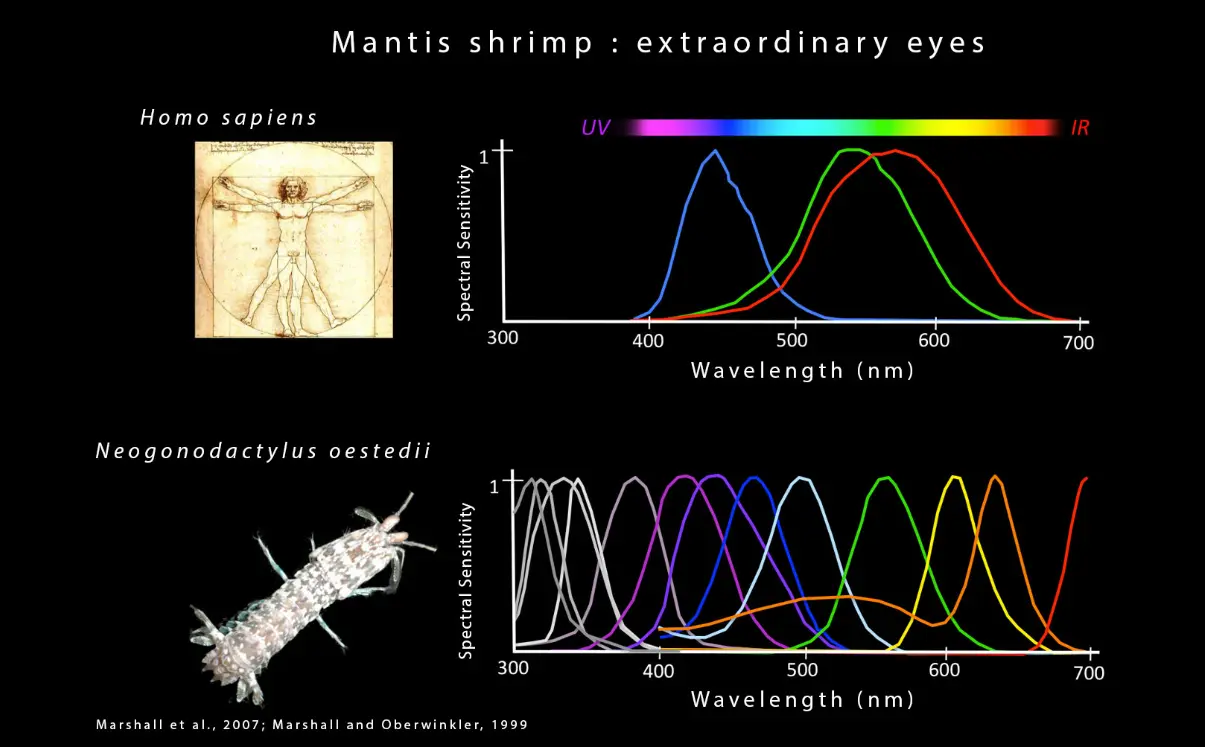
- All light will travel in a straight line unless something gets in the way and does one of the following:
* Reflect it (like a mirror).
* Refract it (bend it like a prism).
* Disperse it (like gas molecules in the atmosphere).
-
Light is the source of all colors. The importance of light in our lives is truly astounding. When a lemon appears yellow, it is because its surface reflects yellow, not because it is actually yellow. This used to confuse me, but pigments appear to have color because they selectively reflect and absorb certain wavelengths of visible light.
-
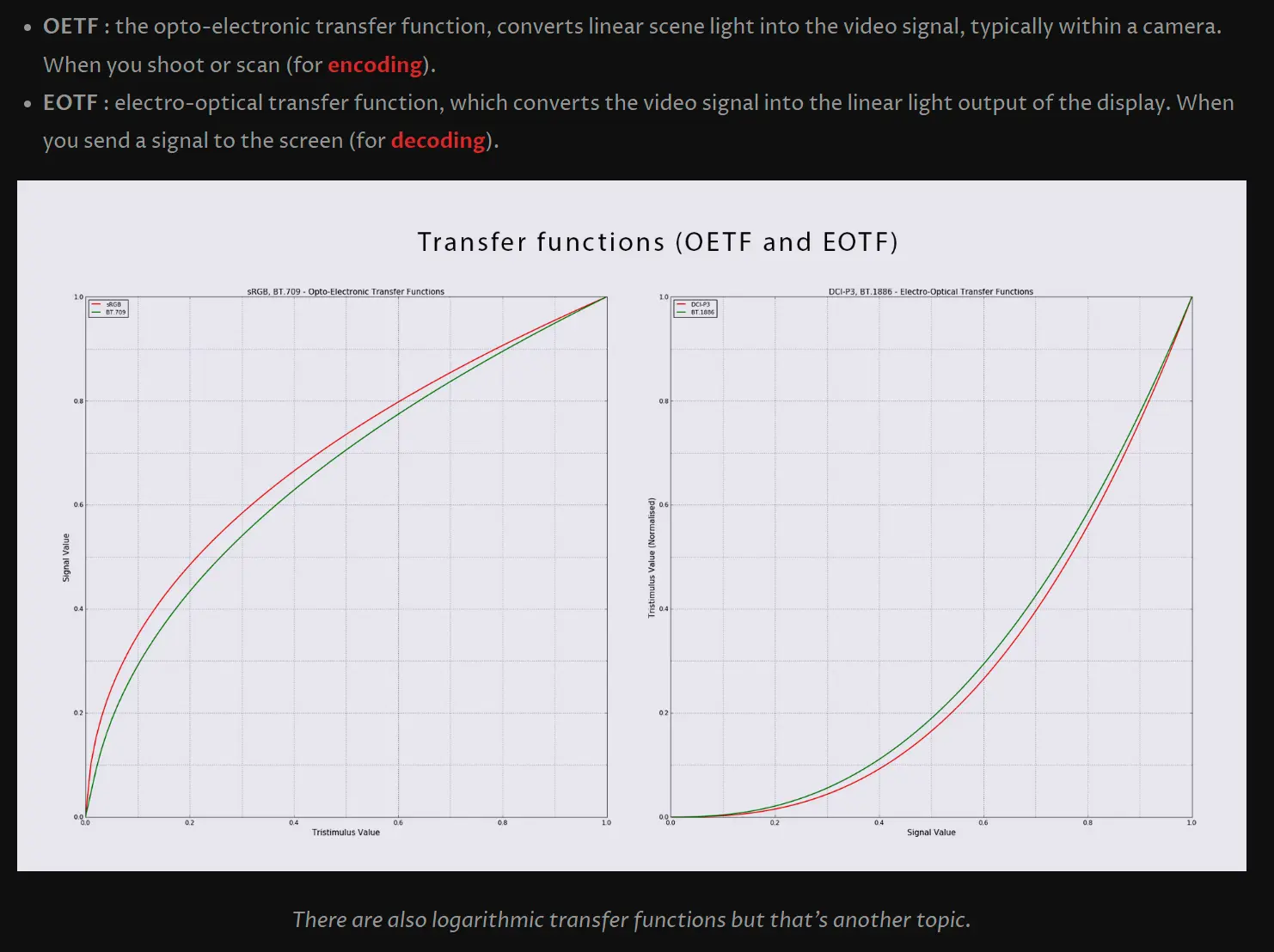
OETF and EOTF
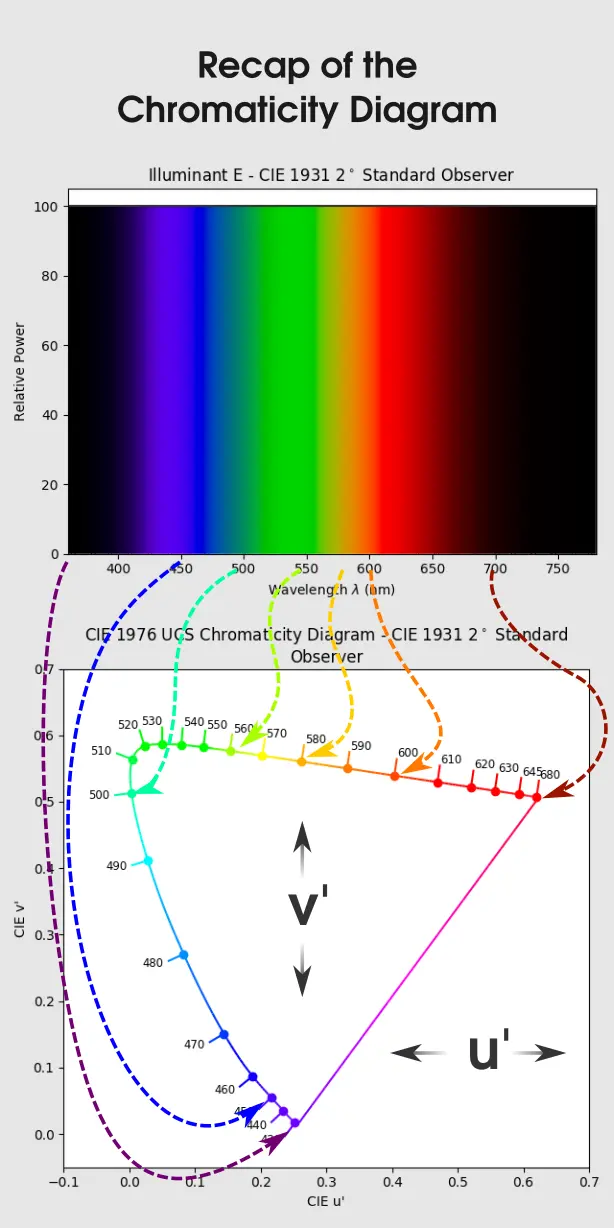
- 1976 Recap
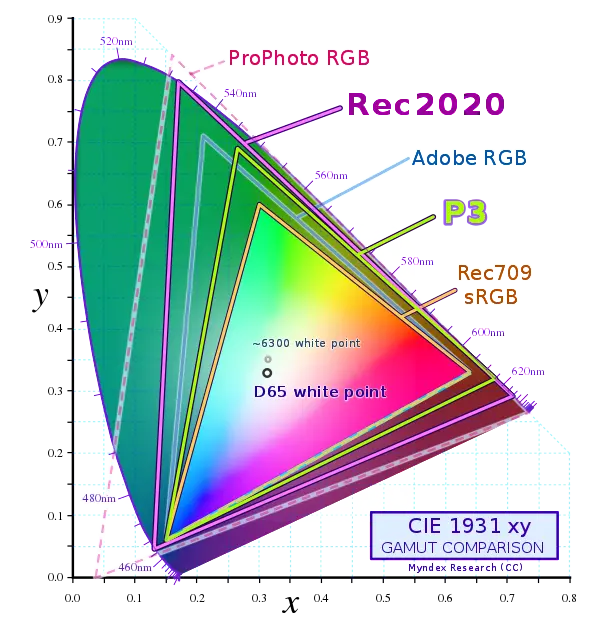
Standard
-
sRGB for internet, Windows and camera photos.
-
Rec. 709 has the same primaries than sRGB but differs on transfer function/gamma. This is because the target use of Rec.709 is video where it’s supposed to be viewed on a dim surround.
-
DCI-P3 for cinema projectors.
-
Rec. 2020, also called UHD TV, the future of colorimetry.
-
AdobeRGB for printing projects.
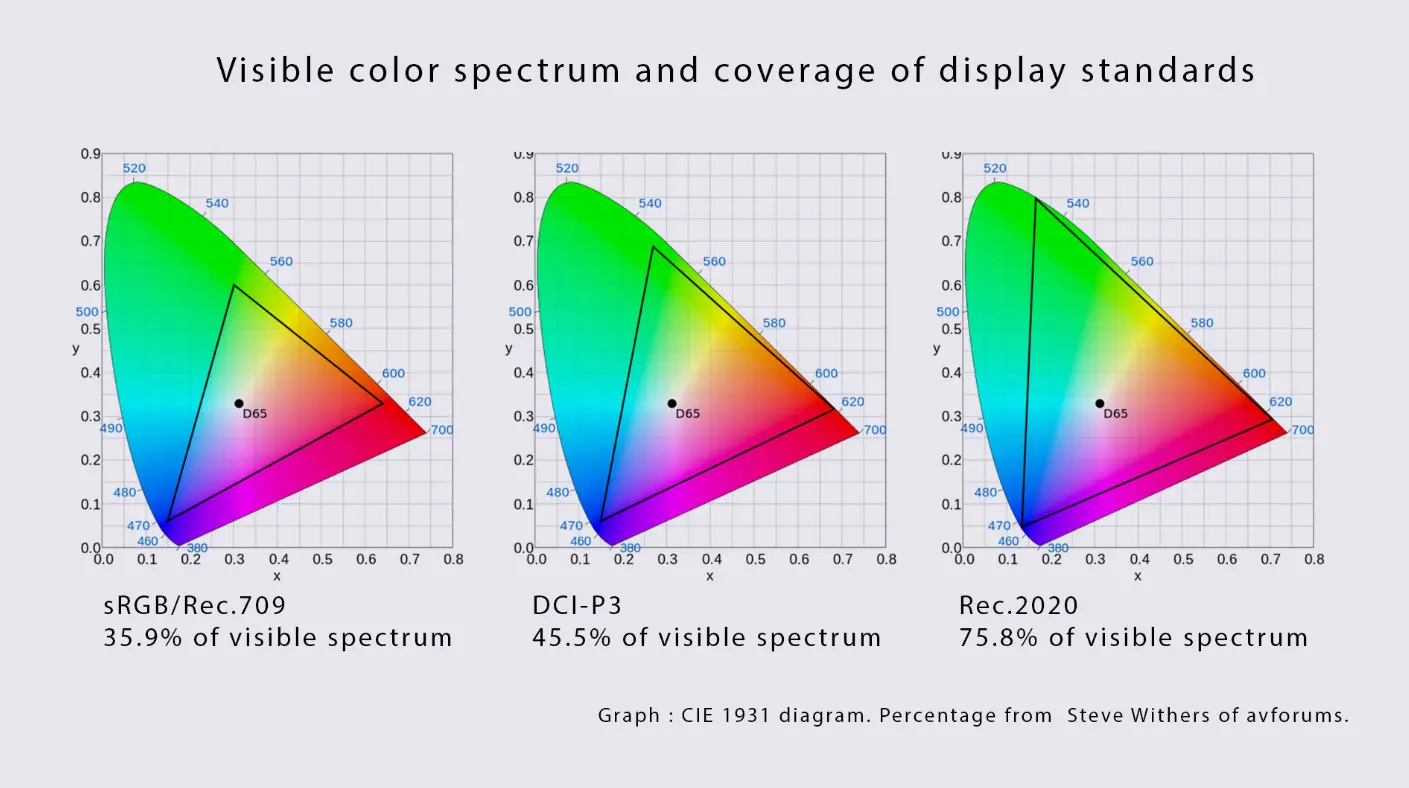
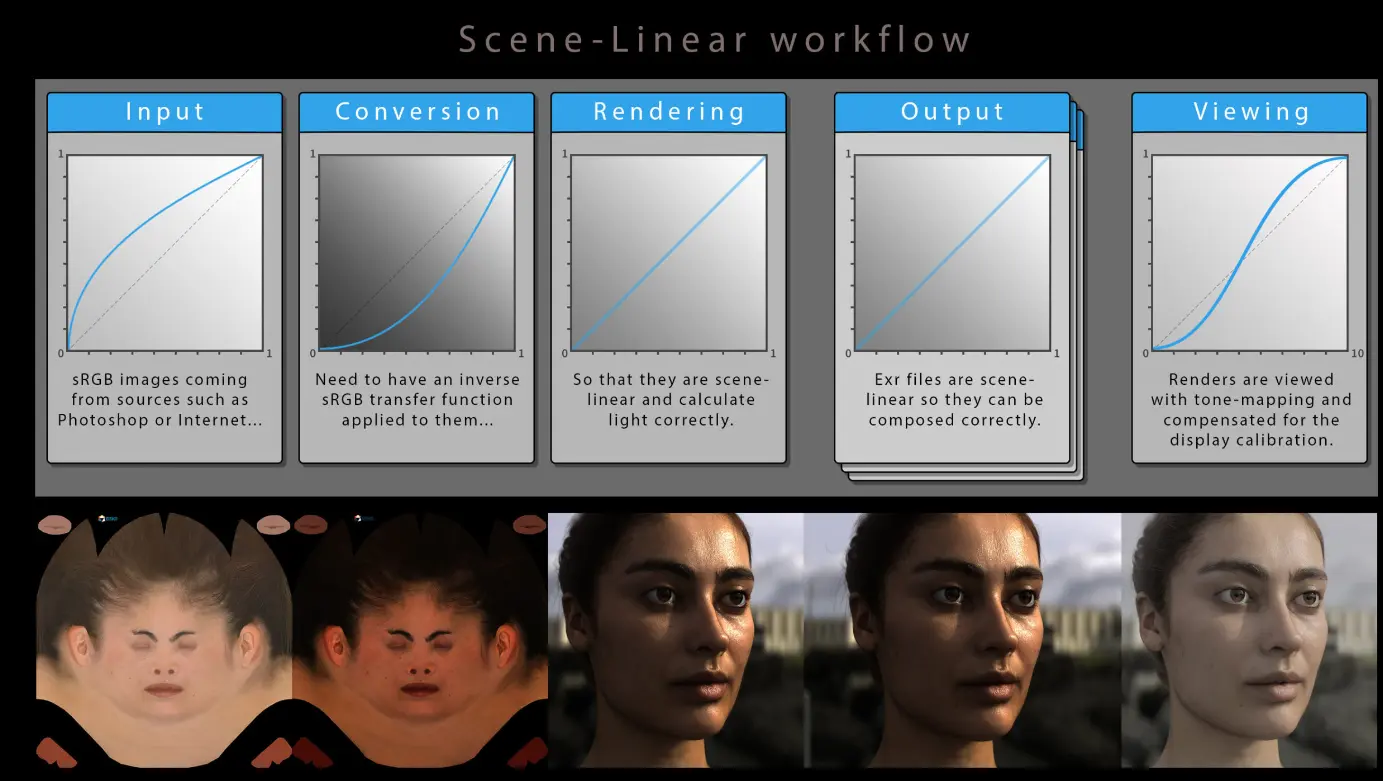
- Scene Linear Workflow
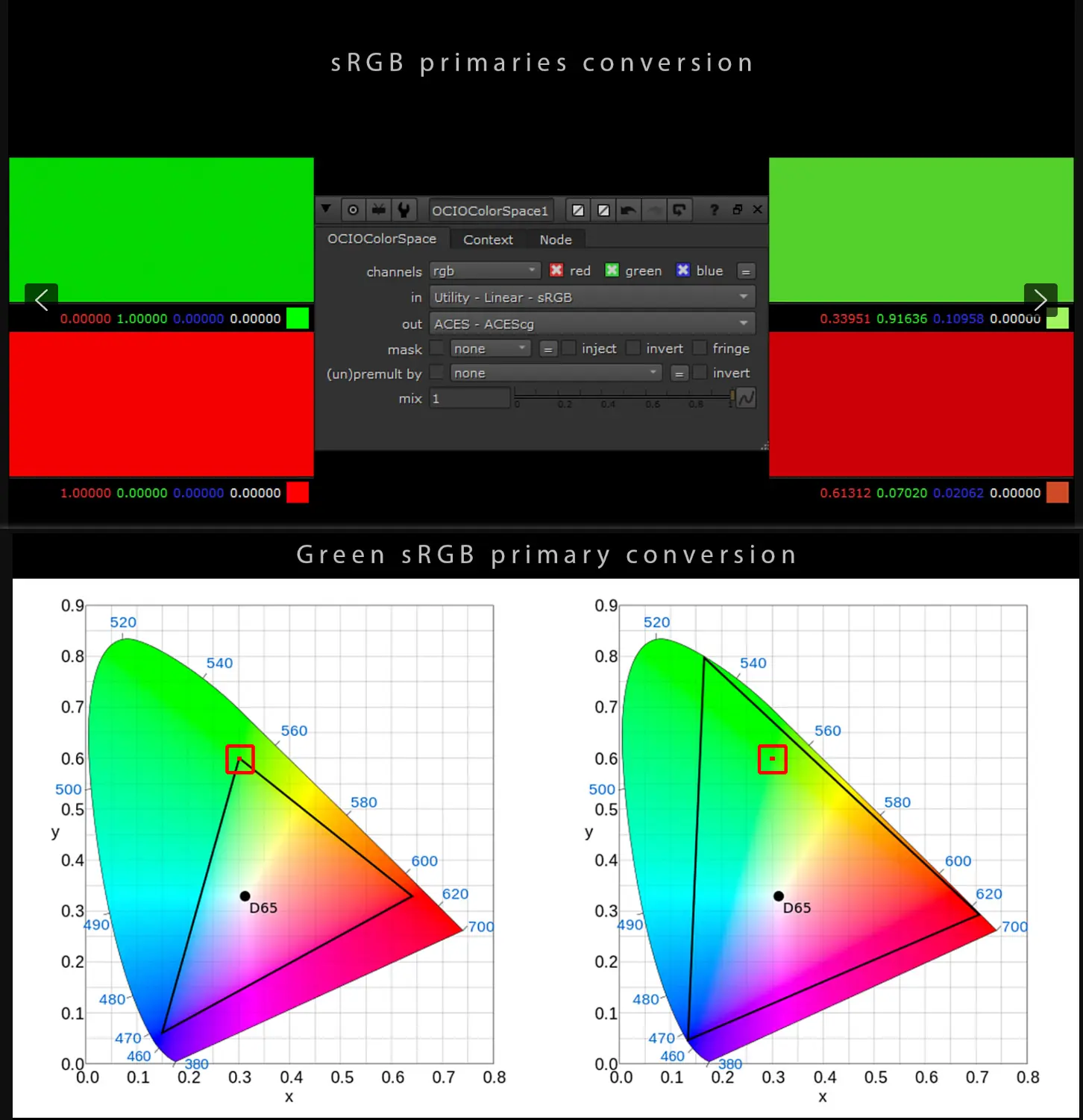
sRGB Primary Conversion
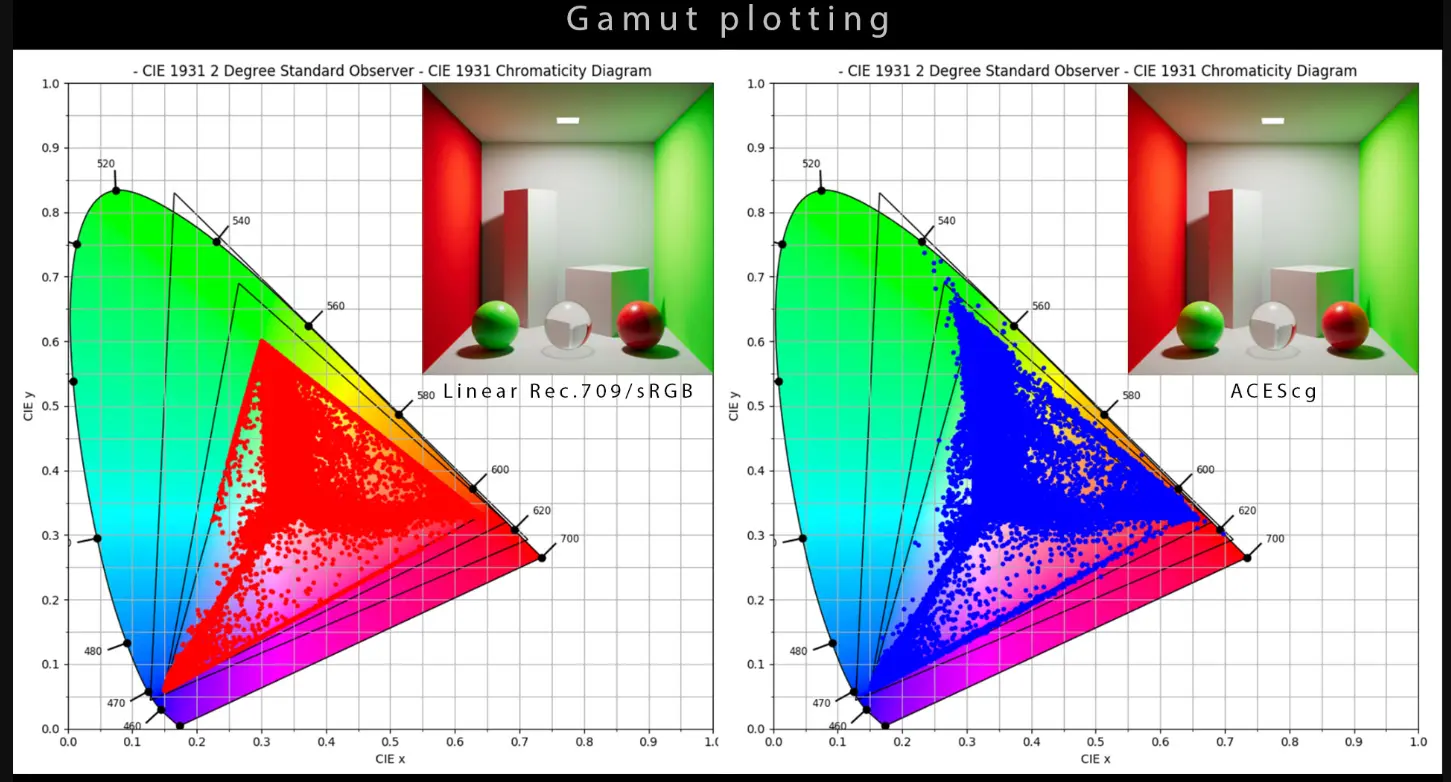
To plot the gamut
Reference
Linear Workflow and ACEScg
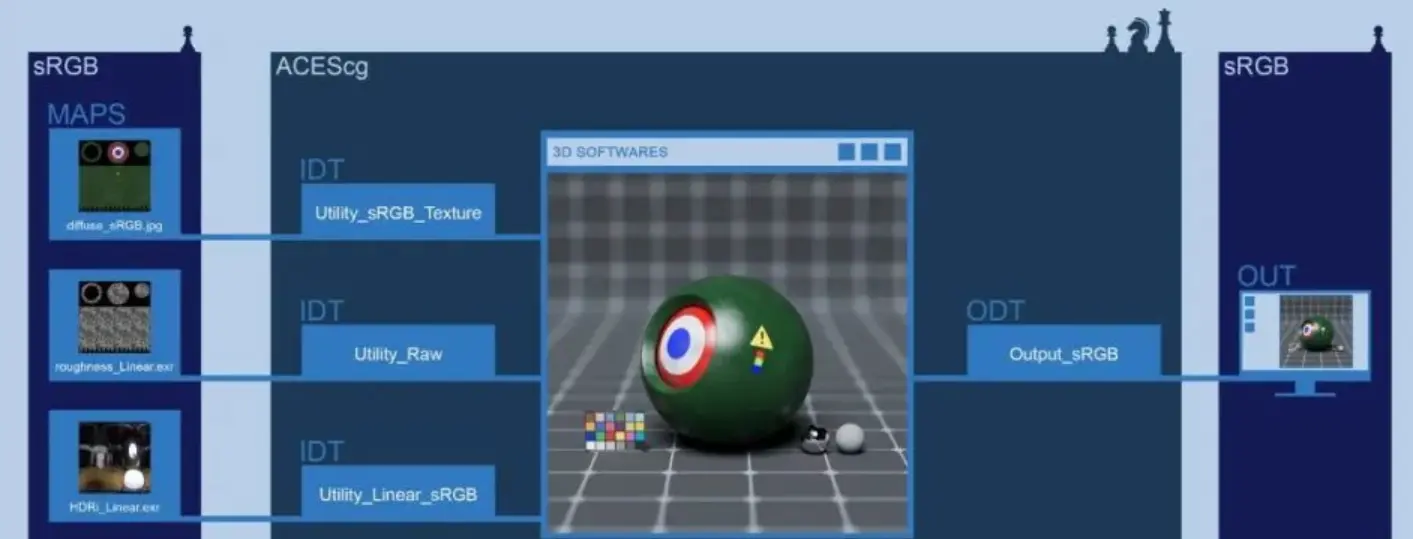
IDT = Input Device Transform (The content of the conversion performed in ACEScg)
ODT = Output Device Transform (The result of adapting to the display)
RRT = Rendering Reference Transformation
ACES Color Space
-
ACES 2065-1 is scene linear with APO primaries. It remains the core of ACES and is the only interchange and archival format (for DCDM).
-
ACEScg is scene linear with AP1 primaries (the smaller “working” color space for Computer Graphics).
-
ACEScc, ACEScct and ACESproxy all have AP1 primaries and their own specified logarithmic transfer functions.
Transformation
 TYPE                   GAMMA                   IDT


diffuse (COLOR)      sRGB (8bit)            Utility_sRGB_Texture


roughtness(DATA)     Linear (16/32 bit)     Utility_Raw

HDRi (COLOR)         Linear (16/32 bit)     Utility_Linear_sRGB
RGB COLOURSPACE TRANSFORMATION MATRIX
- sRGB -> ACEScg
// CHROMATIC ADAPTATION TRANSFORM (Sharp)

[[ 0.614070  0.334950  0.051068]

 [ 0.070530  0.916420  0.013019]

 [ 0.020286  0.108171  0.871491]]
Schema
-
On the left are files on your computer, textured, HDR, etc., from the Web, Photoshop, whatever. These files are sRGB and are standard files available to most users
-
In the middle is 3D software, such as Maya, which integrates scenes for rendering, and Nuke, which can do some compositing. The color space is ACEScg
-
The right side is where to view the image, the screen is sRGB, I can’t save the image directly in Maya or Nuke, otherwise the resulting image will have problems, which is why I have to convert the ACEScg image to sRGB image.
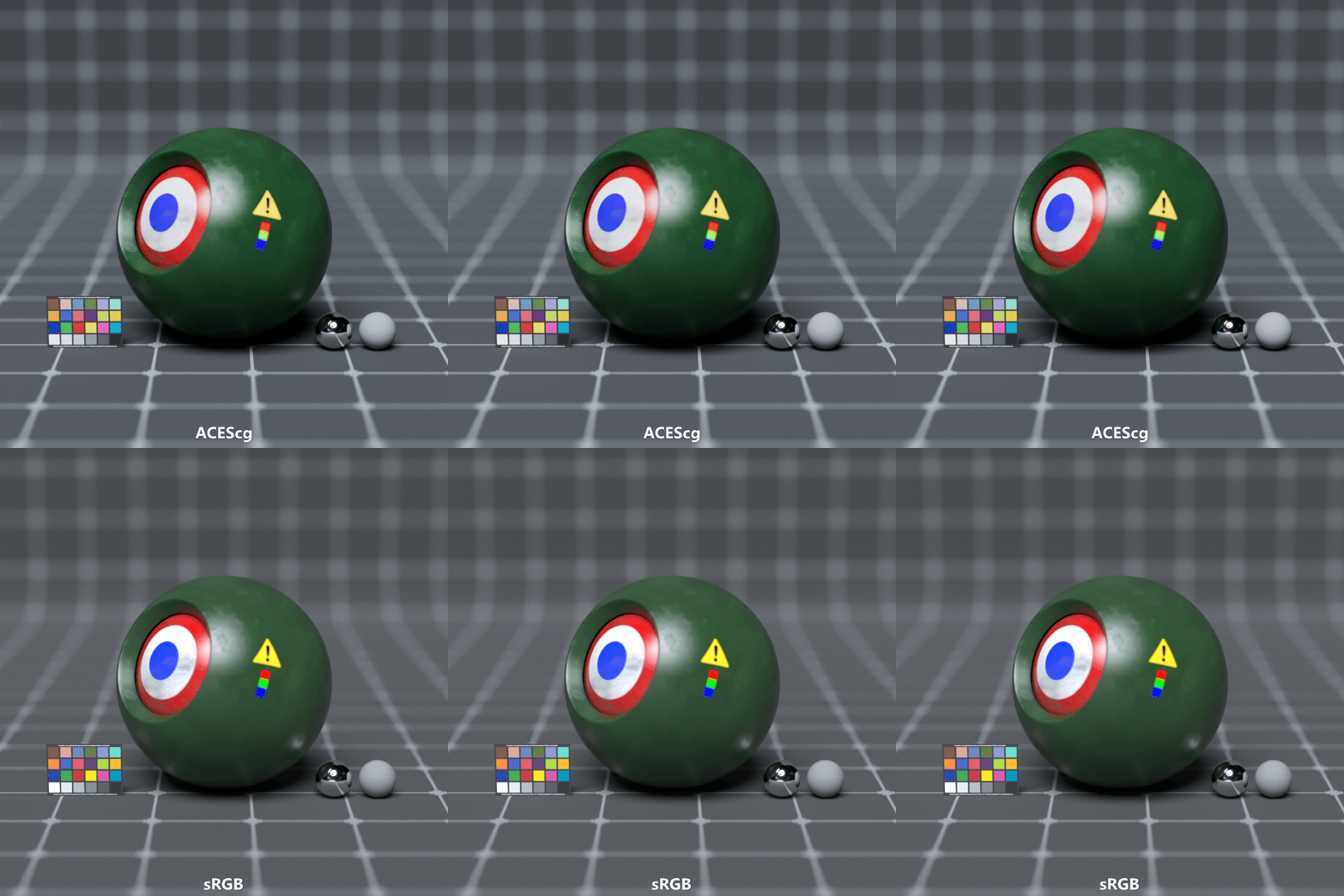
Versus
Definition
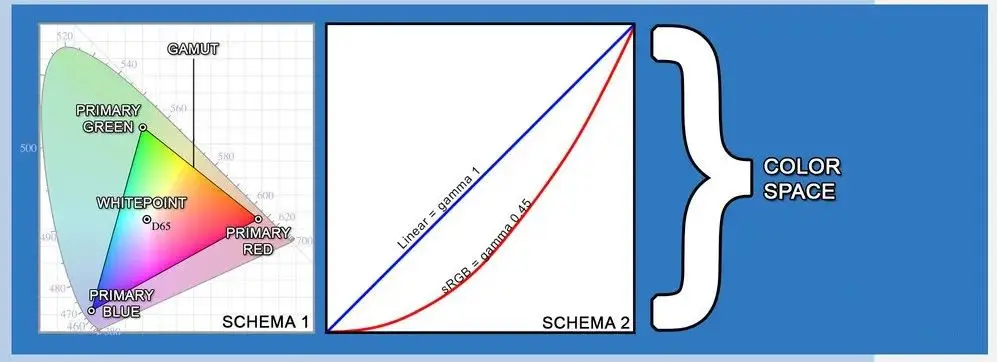
- Color space is defined by 3 things:
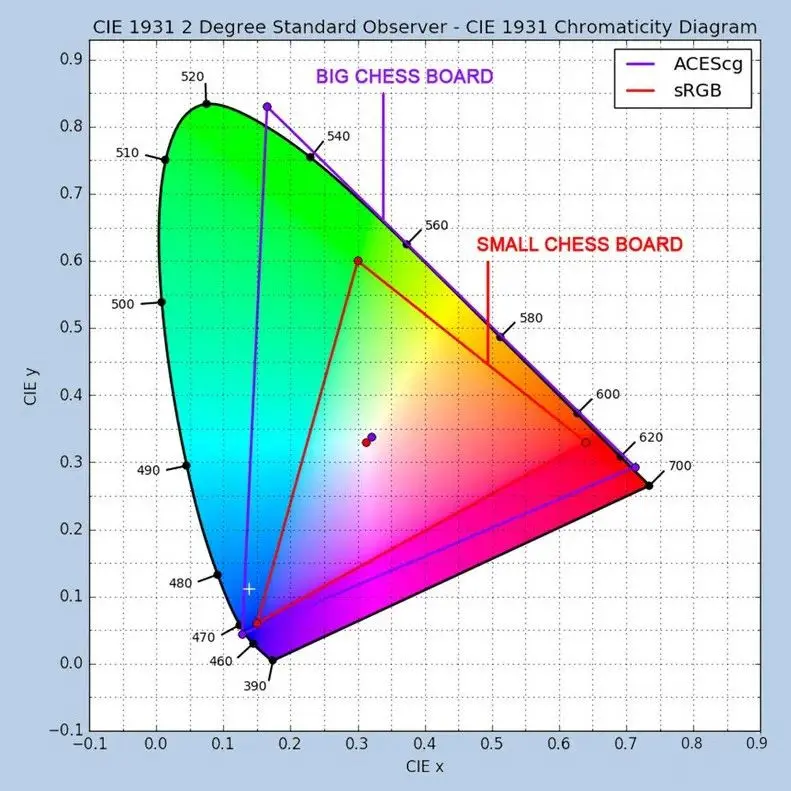
* Primaries: Refers to the three vertices of the triangle shown in schema 1 (chessboard), this triangle is called gamut, note that it is not gamma.
* Whitepoint: Refers to the space defined as the whitest in the triangle, and moving this point can make the picture warmer or cooler.
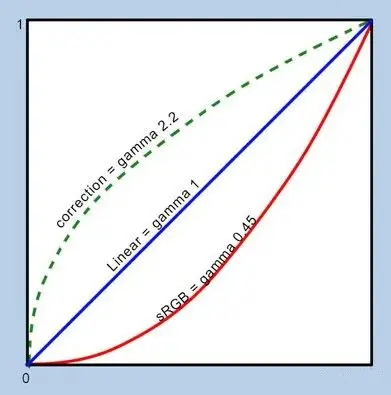
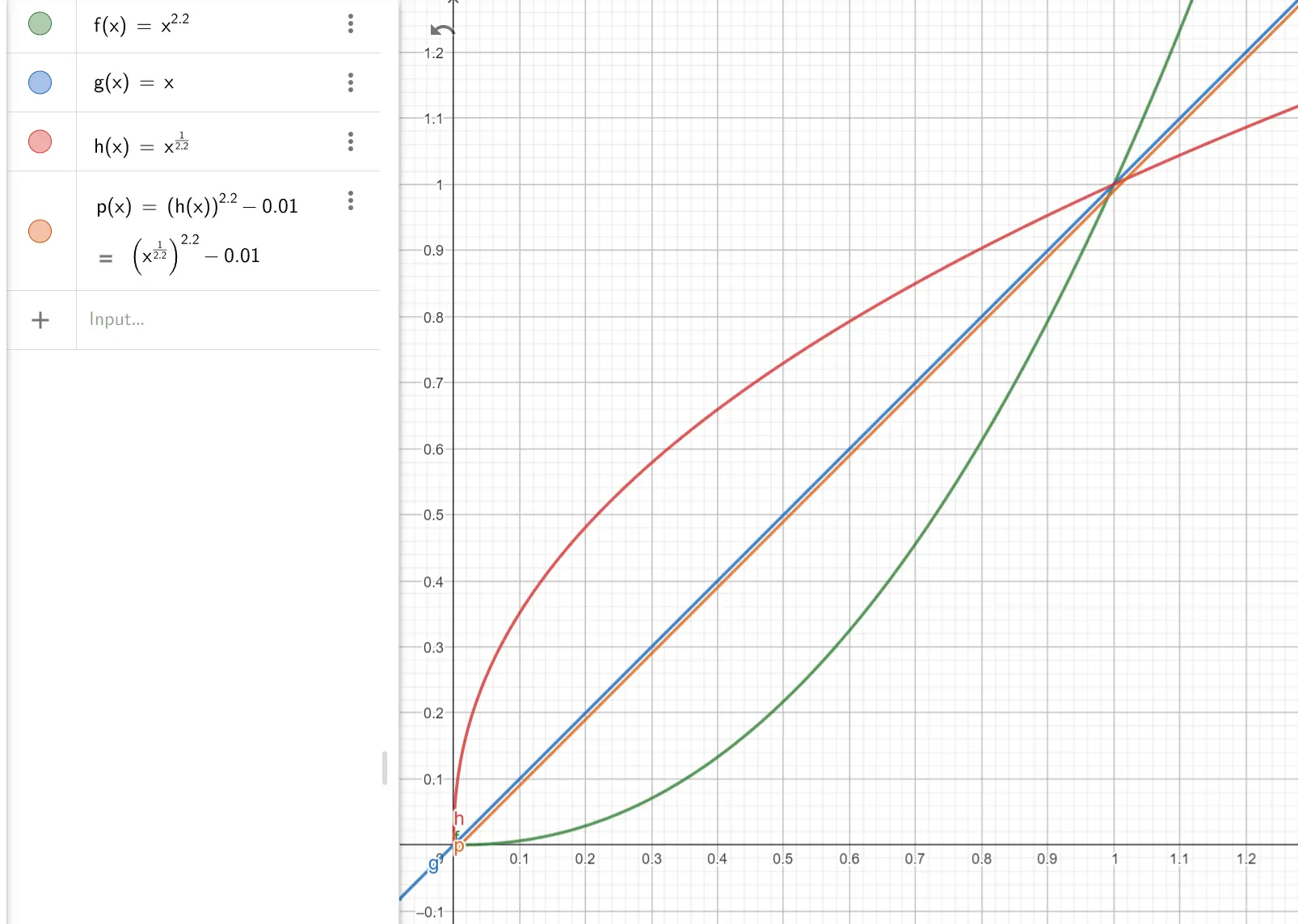
* Transfer functions: This is gamma, and in schema 2, the red line is sRGB and the blue line is Linear
- Whitepoint
* RGB color Spaces can have different white dots, depending on their context usage. This can be a creative option:
* If you want to simulate the light quality of a standard observation room, choose the D50. Selecting a warm color temperature such as D50 will produce a warm white.
* If you want to simulate midday daylight quality, choose D65. Higher temperature Settings (such as D65) will produce a slightly cooler white color.
* If you prefer cool daylight, choose D75.
Limitations
Hue skews and Gamut Clipping
Abney effect
The Abney effect or the purity-on-hue effect describes the perceived hue shift that occurs when white light is added to a monochromatic light source
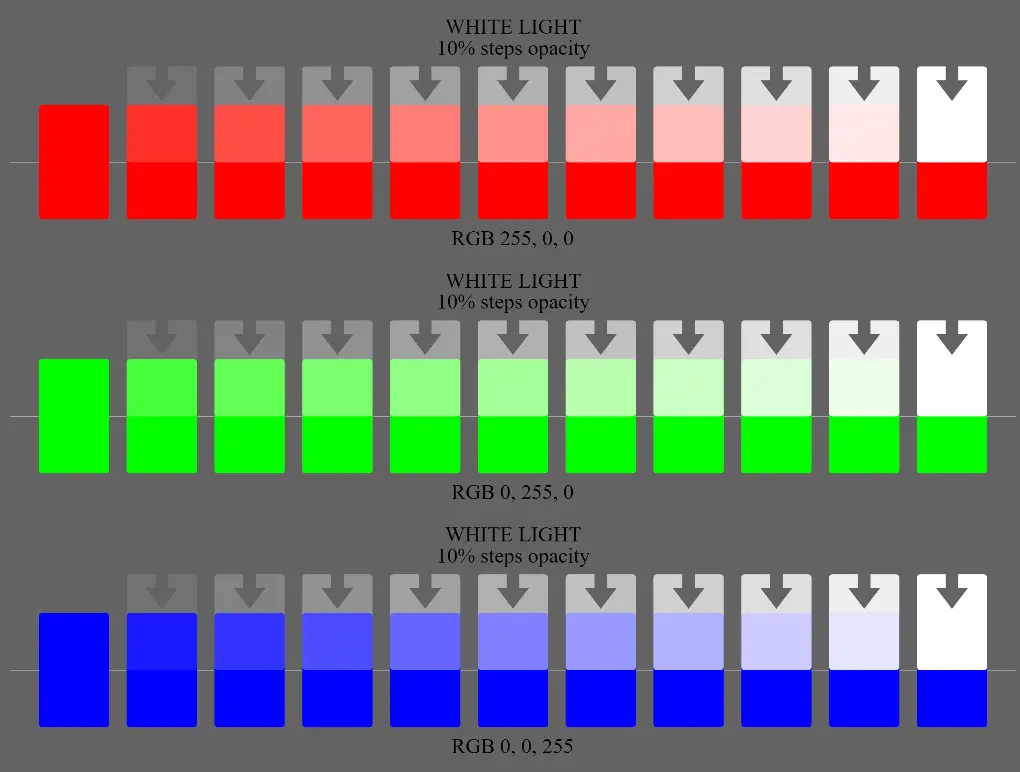
An illustration of the Abney effect. The RGB primaries on a typical display are not monochromatic, making the effect weaker than in the usual experimental setup. However, it is usually still possible to see the effect in the blue example, with the middle shades appearing to be purple.
The ODTs clip values
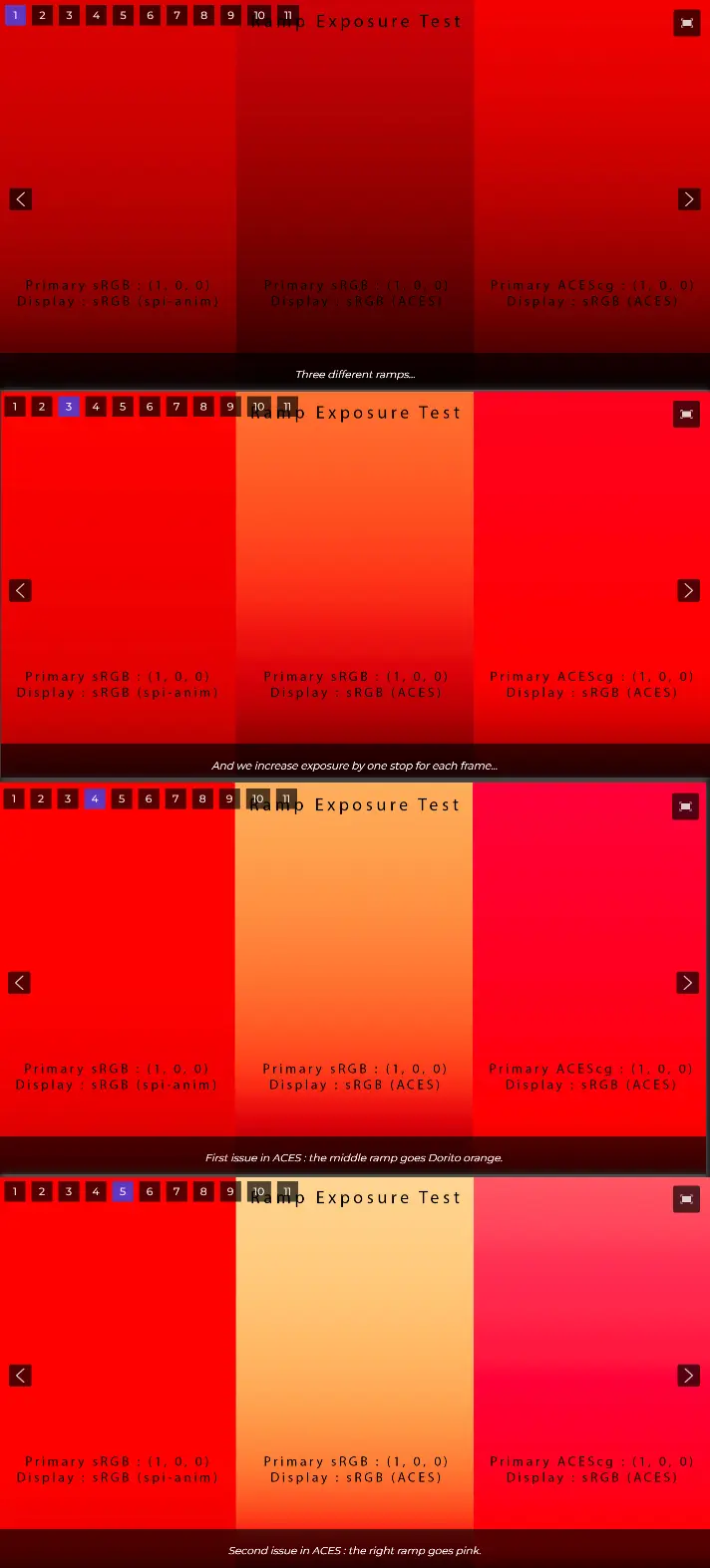
Gamut mapping
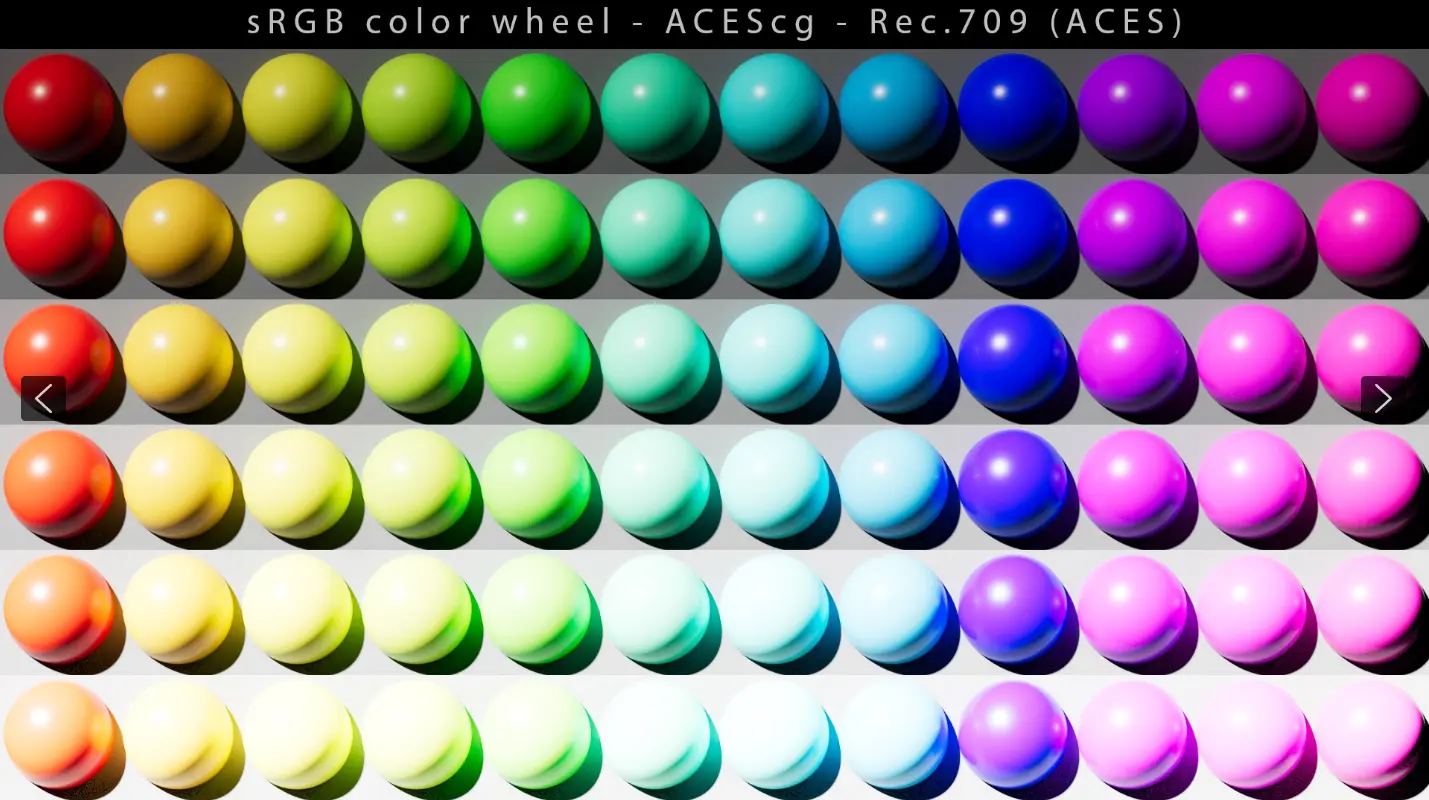
Interesting hue skews with the ACES ODT.
Gamut Compress
Gamut-compress is a tool which allows you to compress highly chromatic camera source colorimetry into a smaller gamut.
Misc
Delta E
- The Delta E value represents the difference between Display color and the original color standard for input content. The lower the Delta E value, the higher the accuracy, and the higher the Delta E value, the more obvious the color difference.
* <= 1.0: The human eye cannot perceive the difference
* 1-2: The difference can be perceived by careful observation
* 2-10: The difference can be perceived at a casual glance
* 11-49: Colors are more similar than opposite
* 100: The color is completely distorted
HDR
-
2084 - PQ 10 Curve
-
2086 - HDR 10
-
2094 -
-
Screen Device - DELL U2720QM
* Delta E<2, 99% sRGB, HDR 400, 95% DCI-P3, 99% REC709
Chromatic Adaptation
When looking at a bright color for a long time, people will feel the brightness of the color slowly reduce, this phenomenon is visual color adaptation. The best time for color adaptation is about 5 ~ 10s. People’s first impression of the light source color, that is, the initial color feeling, gradually weakens with the increase of the observation time of the object, so when observing color, pay attention to capturing the first impression and the initial color feeling.